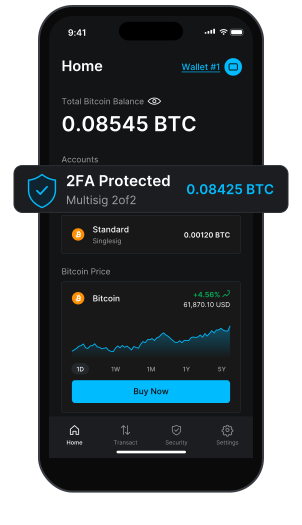
Now in the Blockstream App

Bitcoin Multisig WalletSecured with 2FA

One leaked key shouldn't cost you your bitcoin. Add a multisig account in the Blockstream app to require two signatures: one from your device, and one from Blockstream after you enter a two‑factor code.

 4.7 on the App StoreOpen source on GitHub

Your key and Blockstream's key protecting a Blockstream app wallet, with an optional backup key you keep offline

What Is a Multisig Wallet?

A multisig (multisignature) wallet needs more than one key to approve a payment. In the Blockstream app, one key lives on your device and a second is held by Blockstream, released only when you confirm with your 2FA code. No sign‑up, no identity check, and no extra device to buy.
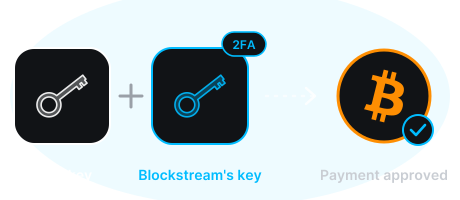
Your key plus Blockstream's key, released by your 2FA code, approves the payment

How Bitcoin Multisig Works

One key stays with you. One key stays with Blockstream. Everyday sends need both.
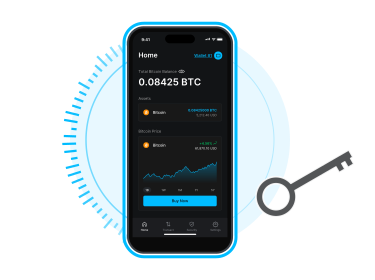
Your key on your phone, inside the Blockstream app

Key 1: Your Device

Protected by your PIN and backed up by your recovery phrase. Pair a Blockstream Jade to keep this key in cold storage instead of your phone.
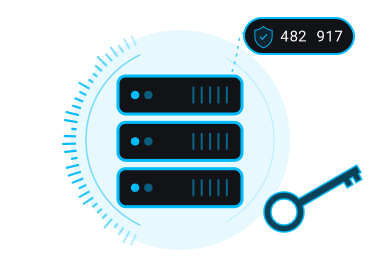
Blockstream's server key, released by your 2FA code

Key 2: Blockstream's Server

Signs only after you confirm with two‑factor authentication. Authenticator app, SMS, email, or phone call, and you can enable more than one.
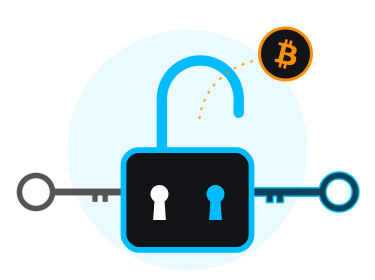
Both keys turning one lock to release your bitcoin

Both Keys to Send

A thief with your phone can't spend without your 2FA. Someone who finds your recovery phrase can't spend without it either. And Blockstream can't spend it on its own.
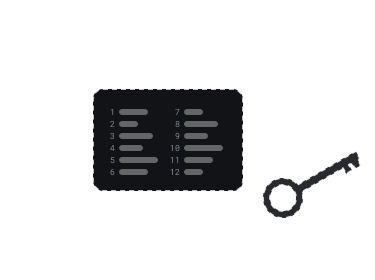
A written recovery phrase and your offline backup key

Optional Key 3: Your Backup

Choose a 2-of-3 account and you add a third key: a new recovery phrase or one you already hold, kept offline and away from your phone. Together with your device key, it can spend without Blockstream at any time.

How 2-of-3 recovery works →

Built for the Ways Bitcoin Actually Gets Lost

Stolen or Unlocked Phone

Your device key alone isn't enough. Sends still need your 2FA code above any threshold you set.

Leaked Recovery Phrase

A photo of your backup or a phishing site that captures your words can't move 2FA‑protected funds without the second key.

Malware on Your Device

A compromised phone still can't sign on its own. The 2FA prompt gives you a second chance to spot a transaction you didn't create.

Blockstream Going Away

You never depend on us. Timelocks on 2-of-2 accounts and the backup key on 2-of-3 accounts let you spend without us. The open‑source recovery tool runs without our servers.

Singlesig vs. Multisig

Same app, same recovery phrase. At least one extra key between your bitcoin and everything that can go wrong.

Singlesig2FA Protected2of3 with 2FA
Keys in the account123
Keys you hold112
Stolen unlocked phone can spendYesAfter the timelockNo
Leaked recovery phrase can spendYesAfter the timelockNo
2FA expires—After the timelockNever
Spend without BlockstreamYesAfter the timelockAny time
Redeposits needed—YesNever
Bitcoin / Liquid / LightningAll threeBitcoin and LiquidBitcoin only
Jade hardware wallet supportYesYesYes

Choose 2-of-2 or 2-of-3 Multisig

Pick the account that fits how you use your bitcoin.

2FA Protected

A 2-of-2 account: your key plus Blockstream's. Quick setup, with a timelock that keeps you in control if you stop spending.

  • Bitcoin and Liquid
  • 2FA on every payment, or only above a threshold you set on Bitcoin
  • Choose when 2FA expires on Bitcoin: about 6, 12 or 15 months
  • Redeposit reminders keep your protection active

2of3 with 2FA

Permanent 2FA protection, plus a third backup key that only you hold so you can spend without Blockstream at any time.

  • Bitcoin only
  • 2FA on every payment, or only above a threshold you set, and it never expires
  • Third key from a new recovery phrase or one you already hold
  • Recover with your two keys at any time, with no redeposits or timelock

Hold several multisig accounts of either type in the same wallet, next to your singlesig accounts.

Timelock Recovery Keeps You in Control

Multisig should never mean being locked out. Every deposit into a 2FA Protected account carries a timelock. If those coins sit untouched for about a year on Bitcoin (you can choose 6, 12, or 15 months), or about 45 days on Liquid, they become spendable with your device key alone. No 2FA, no Blockstream, no permission needed. The app reminds you to redeposit before that happens so your protection stays active, and an open‑source recovery tool works even if our servers are offline.
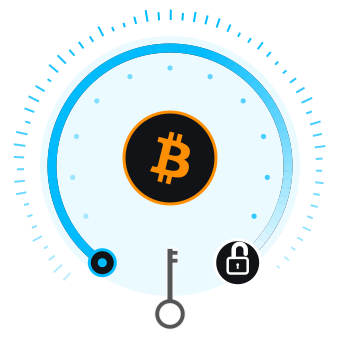
A year-long timelock arc that ends in an open lock, so your key alone can reach your bitcoin

With 2-of-3, Spend Without Us at Any Time

In a 2-of-3 account your 2FA never expires and there's nothing to redeposit. If you lose your 2FA methods, or Blockstream is ever offline, your device key and backup key sign together with the open‑source recovery tool. Keep your backup offline and apart from your phone, so no single loss or theft puts two keys in the same hands.
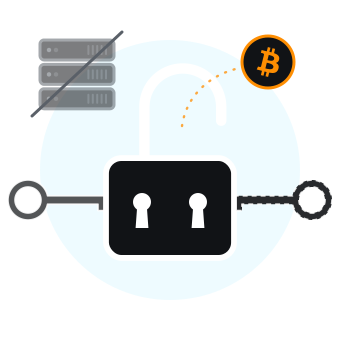
Your key and your backup key open the lock while Blockstream's server is switched off
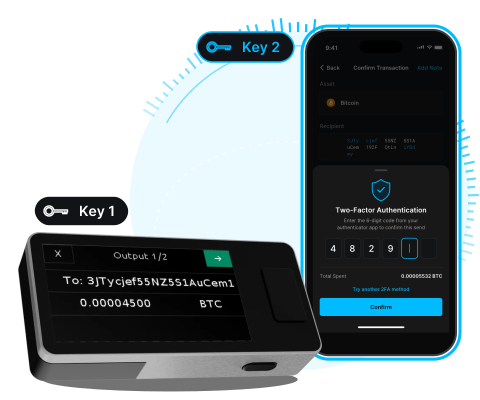
Blockstream Jade confirming a transaction as key 1 while the Blockstream app asks for 2FA as key 2

Strongest Setup: Key 1 on Jade

Put your device key on a Blockstream Jade instead of your phone and your first key never touches an internet‑connected device. Jade signs, the app coordinates, and Blockstream's server still asks for your 2FA. Cold storage and multisig, in one wallet.

Set Up in Minutes

No new wallet required. Add a multisig account to the wallet you already have.

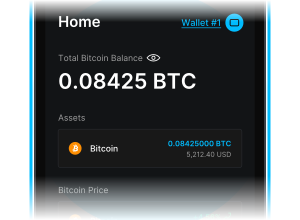
  1. Blockstream app home screen 1

    Open the Blockstream App

    Update to the latest version, then open the wallet you want to protect, or create a new one.

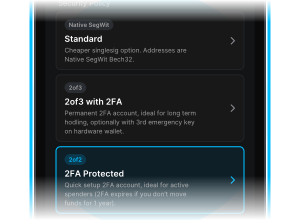
  2. Create New Account screen with 2FA Protected selected under Security Policy 2

    Create a Multisig Account

    In Create New Account, pick 2FA Protected (2-of-2) for everyday spending, or 2of3 with 2FA for long‑term savings.

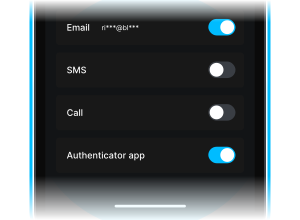
  3. Two-factor authentication methods with authenticator app turned on 3

    Turn On Two‑Factor Authentication

    We recommend an authenticator app plus one backup method, so losing a single device never locks you out.

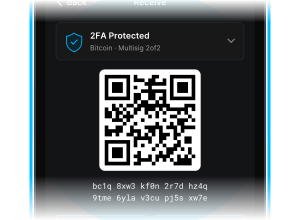
  4. Receiving bitcoin into a 2FA Protected account 4

    Move Bitcoin In

    Send from your singlesig account or straight from an exchange. Every coin that lands is protected from the moment it arrives.

Guides & Tutorials

Step‑by‑step help from the Blockstream Help Center.

Frequently Asked Questions

Should I choose 2FA Protected or 2of3 with 2FA?
show more
show less
2FA Protected (2-of-2) is quick to set up and suits active spending, on Bitcoin or Liquid. Its 2FA expires if coins sit unmoved, so you can never be locked out. 2of3 with 2FA suits long-term savings on Bitcoin: its 2FA never expires, and a third backup key that only you hold lets you recover at any time. You can hold both in the same wallet.
Does Blockstream hold my bitcoin?
show more
show less
No. Blockstream holds one key and can't spend anything with it alone. In a 2FA Protected (2-of-2) account you hold the other key. In a 2-of-3 account you hold two of the three. If Blockstream disappeared tomorrow, timelocks (2-of-2) or your backup key (2-of-3), together with the open-source recovery tool, let you spend with your own keys.
How does the 2-of-3 backup key work?
show more
show less
When you create a 2-of-3 account you add a third key: a new recovery phrase or one you already have. Keep it offline and away from your phone. Everyday sends use your device key and Blockstream's 2FA-protected key. If you ever need to move coins without Blockstream, your device key and backup key can sign together using the open-source recovery tool.
Can Blockstream freeze or block my funds?
show more
show less
Not permanently. In a 2FA Protected (2-of-2) account the server key is required until a deposit's timelock expires (about a year on Bitcoin by default, about 45 days on Liquid). After that, your device key alone can spend those coins. In a 2-of-3 account you can spend at any time with your device key and backup key, without Blockstream at all.
Is 2FA Protected a multisig wallet?
show more
show less
Yes. 2FA Protected is the app's name for a 2-of-2 multisig account. The app's other multisig account, 2of3 with 2FA, is a 2-of-3 multisig. Both use a second key that Blockstream releases only when you confirm with your two-factor code.
Which 2FA methods can I use?
show more
show less
Authenticator app, SMS, email, and phone call, for both account types. You can enable more than one, and we recommend at least two so that losing a single device never locks you out.
What happens if I lose all my 2FA methods?
show more
show less
In a 2-of-3 account you can recover right away using your backup key. In a 2FA Protected (2-of-2) account there are two paths. You can request a 2FA reset from inside the app, which completes after a 12-month waiting period, plus any remaining timelock, designed to stop an attacker from doing the same. Or, for any coins whose timelock has already expired, you can simply spend them with your device key.
What is a redeposit and why does the app ask for one?
show more
show less
Only 2FA Protected (2-of-2) accounts use redeposits. A redeposit sends coins to a fresh address in your own wallet, which restarts their timelock, and the app prompts you before coins expire so they stay protected by 2FA. Choose Send All when you do it so nothing is left behind. 2-of-3 accounts never need one, because their 2FA doesn't expire.
Does it work on Liquid?
show more
show less
Yes for 2FA Protected (2-of-2) accounts, covering L-BTC and Liquid assets. 2-of-3 accounts are Bitcoin only.
Can I change when 2FA expires?
show more
show less
Yes, for 2FA Protected accounts on Bitcoin. In the app's 2FA settings you can set expiry to about 6 months, 1 year or 15 months. The setting applies to coins you receive after the change. On Liquid it stays at about 45 days, and 2-of-3 accounts never expire.
Can I send without entering a 2FA code?
show more
show less
On Bitcoin, yes: under Settings, then Two-Factor Authentication, enter a Two-Factor threshold, and payments under that amount skip the code.
What if I lose my phone?
show more
show less
Install the Blockstream app on a new device and restore your wallet with your recovery phrase. Your multisig accounts come back with it. Sends still need your 2FA, so if your authenticator app was on the lost phone, use a backup 2FA method or the steps for losing all methods.
Is a multisig wallet safer than a hardware wallet?
show more
show less
They solve different problems, and you can combine them. A hardware wallet like Blockstream Jade keeps your key offline. Multisig means no single key can spend. Put your device key on Jade and you get both.
Does it work with Blockstream Jade?
show more
show less
Yes, for both account types. Set up your wallet with Jade and your device key lives on the hardware wallet instead of your phone. The server key and 2FA work exactly the same way.
Can I keep my existing singlesig account?
show more
show less
Yes. A wallet can hold singlesig, 2FA Protected and 2-of-3 accounts side by side. Move as much or as little as you like into either multisig account.
Can I switch from 2FA Protected to 2-of-3 later?
show more
show less
Not in place, but you can add a 2-of-3 account to the same wallet at any time and send your coins to it. Your 2FA Protected account keeps working alongside it.
Can I use watch-only mode?
show more
show less
Yes. Multisig accounts support a username-and-password watch-only login so you can check balances and generate receive addresses without your keys.
Is it open source?
show more
show less
Yes. The Blockstream app, the wallet library behind it, and the recovery tool are all open source and independently auditable.

Still stuck? Contact support, or browse the Blockstream app Help Center.

Two Keys Are Better Than One.
Get the Blockstream app for iOS, Android, or desktop and add a multisig account today.
Blockstream app home screen with a 2FA Protected multisig account